
Software Release 11.22
Update Overview
Explore the Latest EOS Software Updates
EOS software is constantly being developed to support stable, efficient and scalable industrial additive manufacturing. Each software release introduces new features and functional enhancements across the EOS software portfolio. This page provides an overview of the key highlights of EOS Software Release 11.22.
The easiest way to receive the latest EOS software edition is via myEOS. Simply log in and request the installation of the current software release. We will provide you with the latest version for download.
If you have any questions regarding installation, compatibility, or update support, our team will be happy to assist you.

New Features
EOS Build
EOSPRINT 2.13
- More reliable powder dosing through improved algorithm and new parameterization -> Less powder shortage and less full overflow bin
- Upwards compatibility of EOSPRINT with machine software significantly reduce re-qualification & verification efforts
- Material Set Configurator: Work safely with 3rd party metal materials (for health & safety reasons, this tool must remain locked until users have completed a corresponding training)
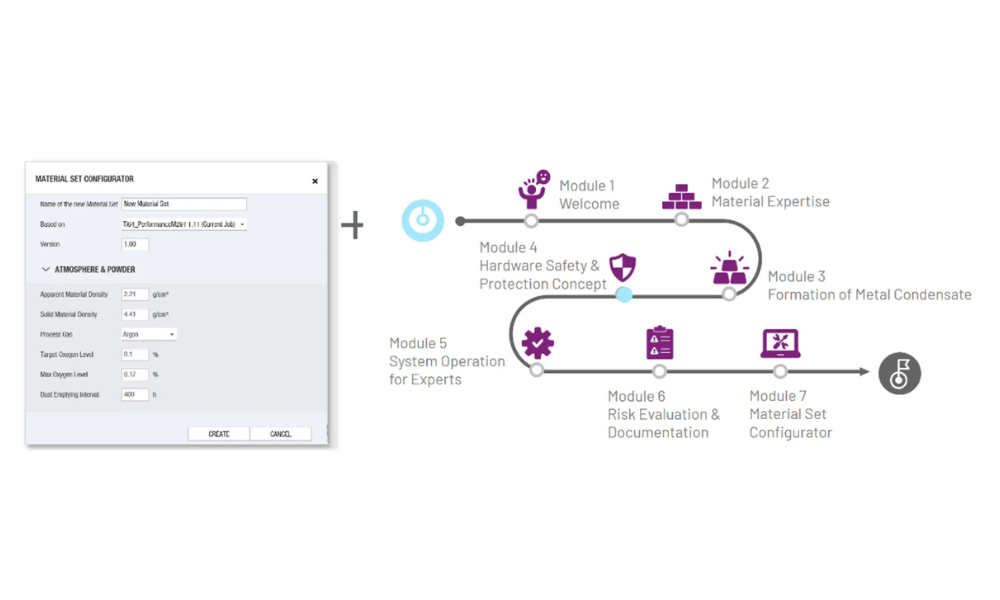
- Laser Center Optimized Vector Scanning (LCDS): Groundbreaking scanning strategy that enables higher build rates and homogeneity, new parameter settings
- Animated help to demonstrate exposure order settings
- Lock Exposure Sets independently
- Upon loading, EOSPRINT now automatically determines if a part is a solid or a support
- More flexibility in adjusting fine tuning values as self service

New Features
EOS System Suite
EOSCONNECT Core 1.8
Highlights
- New datapoints for more insights in the machine status where added:
- Removal chamber temperature (available for EOS P 396, EOS P 500)
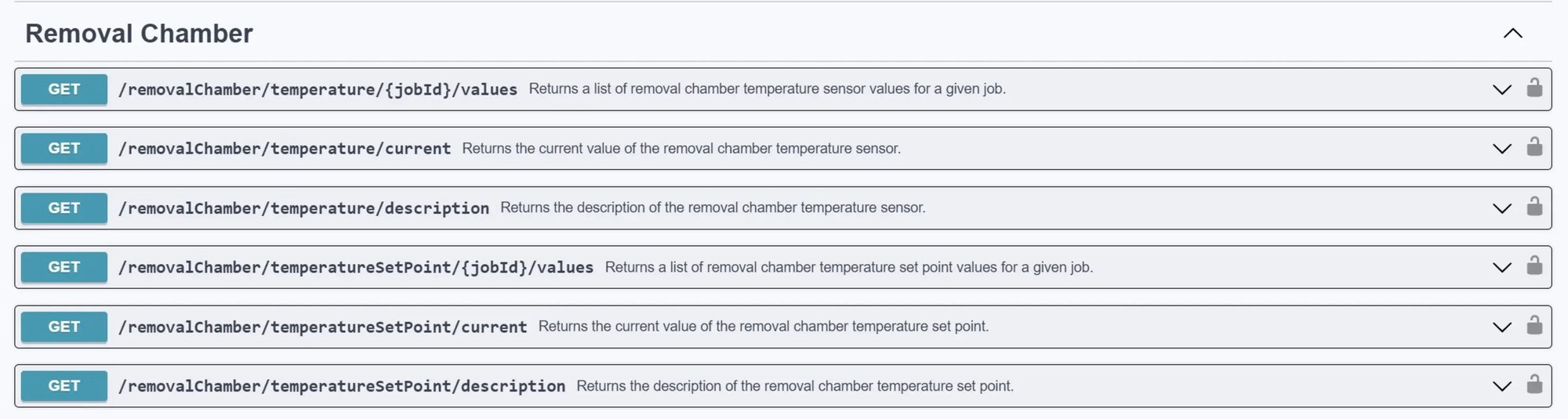
-
- Compressed Air pressure (available for EOS M 290, EOS M3-3, EOS M 400, EOS M 400-4, EOS P 500)

- You can now streamline your data model even further by using the new information which has been made available for each data point on the Web Api:
- Datatype: the technical data type of the data point, e.g. FloatingPoint
- Minimum sampling rate in ms
- Threshold: value by which a data point must change to become available on the interface
- We made all available data points available in an Excel sheet along with the following information:
- The version a specific data point was introduced
- On which interface the datapoint is available, Web API, OPC UA or MQTT
- For which model is the data point available
Performance Improvements
- Download of images has been improved. Download is up to 2 times faster than in previous versions.
Apply for a new edition now: