
Software Release V25
Explore the Latest EOS Software Updates
EOS software is constantly being developed to support stable, efficient and scalable industrial additive manufacturing. Each software release introduces new features and functional enhancements across the EOS software portfolio. This page provides an overview of the key highlights of EOS Software Release V25
The easiest way to receive the latest EOS software edition is via myEOS. Simply log in and request the installation of the current software release. We will provide you with the latest version for download.
If you have any questions regarding installation, compatibility, or update support, our team will be happy to assist you.

New Features
EOS Build
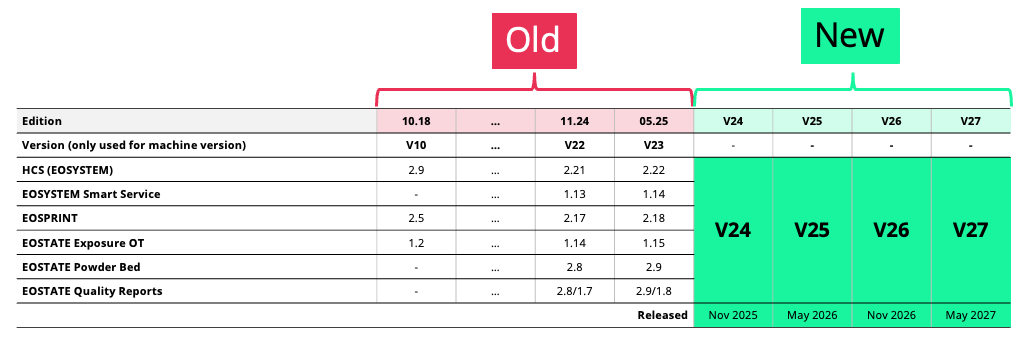
Unified Version Terminology for EOS Software Products
To improve clarity, compatibility, and transparency across our software portfolio, EOS is introducing a unified terminology system.
This software edition has the version number: V25
Increased User Experience - Polymer
Problem it solves
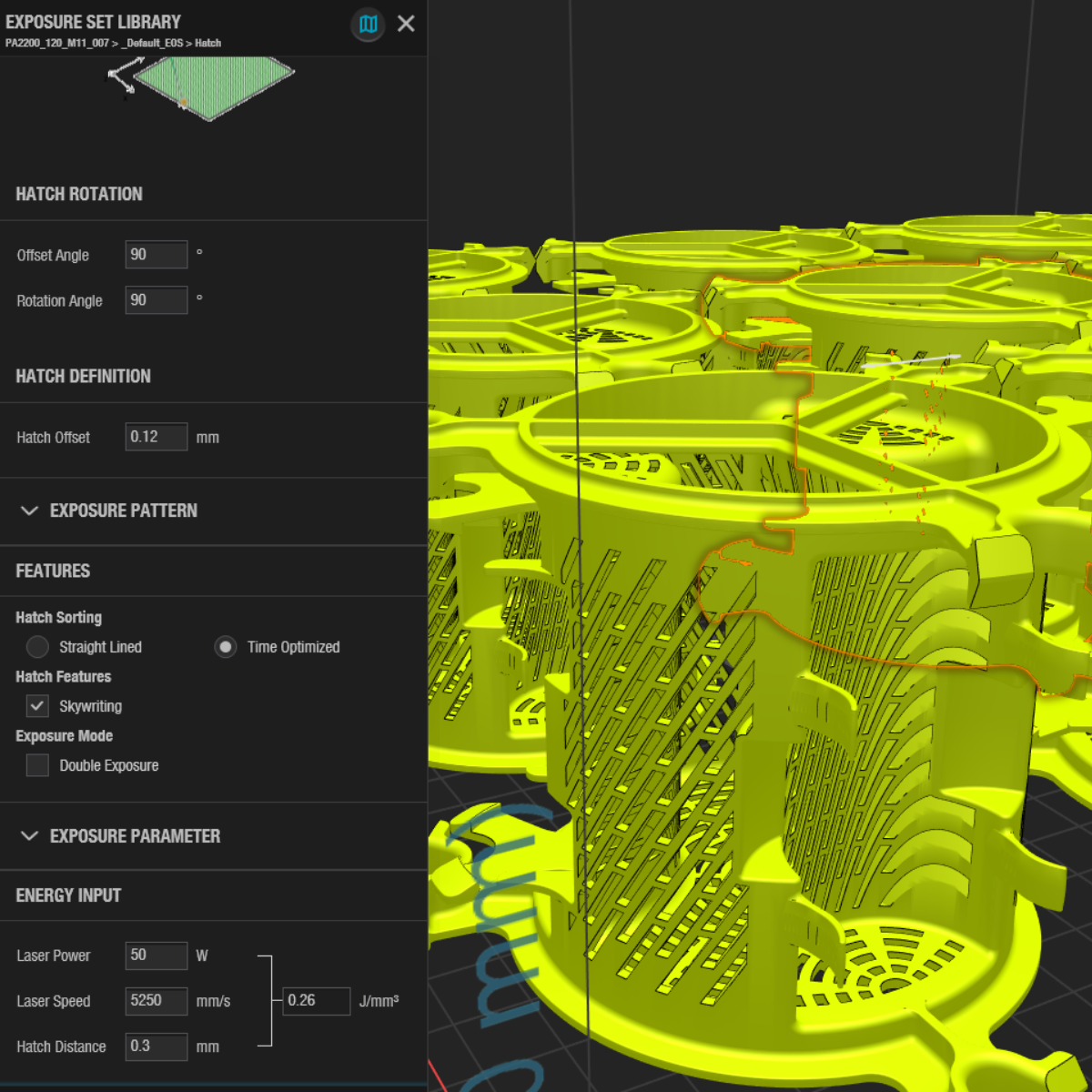
Polymer users were exposed to metal-specific parameters in EOSPRINT, adding unnecessary complexity and increasing the risk of confusion during job preparation.
What the feature does
EOSPRINT interface for EOS P3 NEXT has been streamlined by removing features that are only relevant to metal systems. Parameters such as Energy Input Homogenization and Hatch Restriction Angle are no longer displayed, creating a cleaner and more focused workflow for polymer applications.
Value
Enables faster, safer, and more efficient job preparation by reducing interface complexity and minimizing the risk of setup errors.
EOSPRINT Dark Mode
Problem it solves
Extended use of bright user interfaces during part review and job preparation can cause visual fatigue and reduce user comfort, particularly during long working sessions.
What the feature does
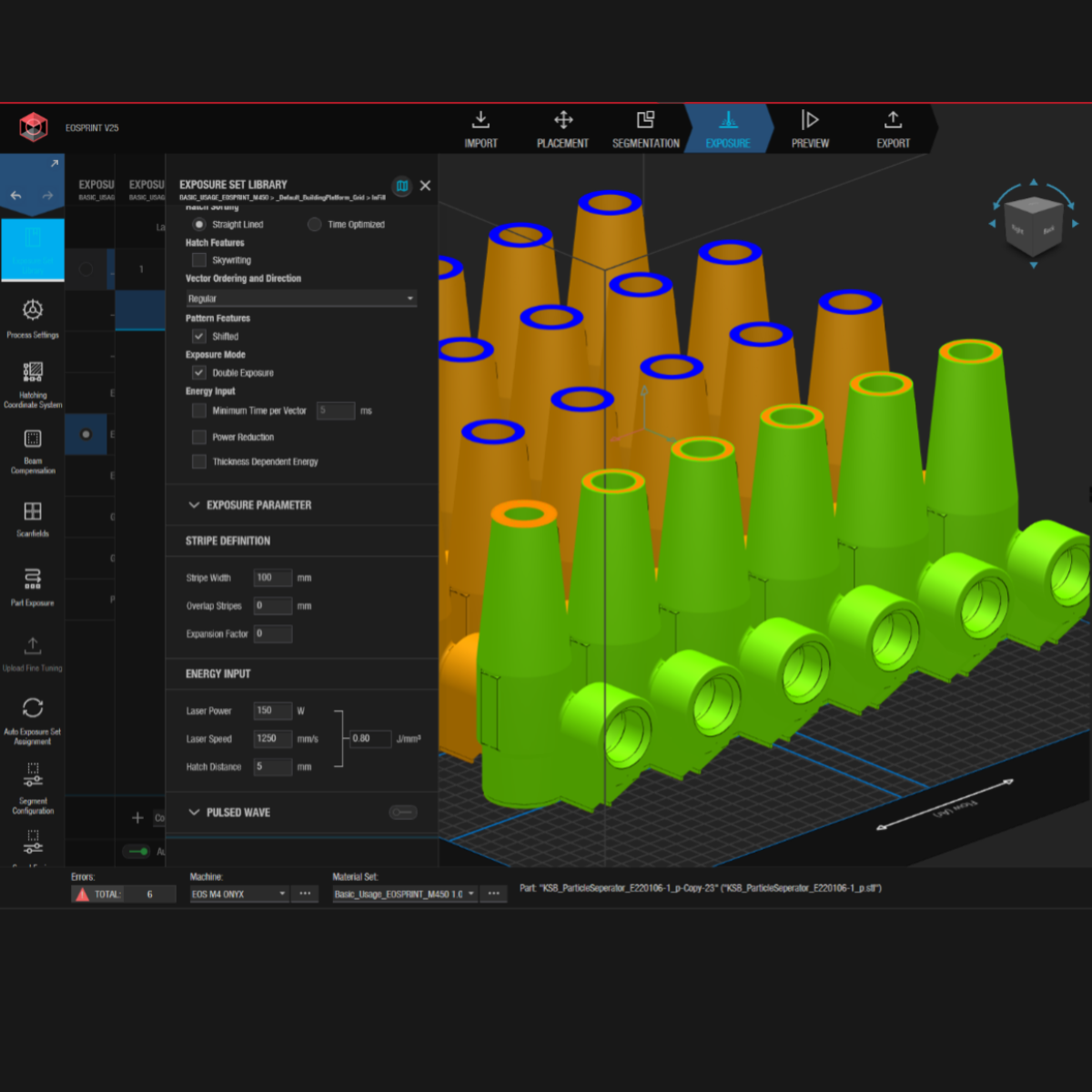
EOSPRINT Dark Mode introduces a dark color scheme across the EOSPRINT workspace. Part geometry, slice views, build layers, and process indicators remain clearly visible while UI elements are visually less intrusive, providing a more comfortable viewing experience during extended review and preparation tasks.
Value
Improves visual comfort during extended EOSPRINT sessions and supports sustained focus when reviewing parts and process data.
Shorter Task Export
Problem solved
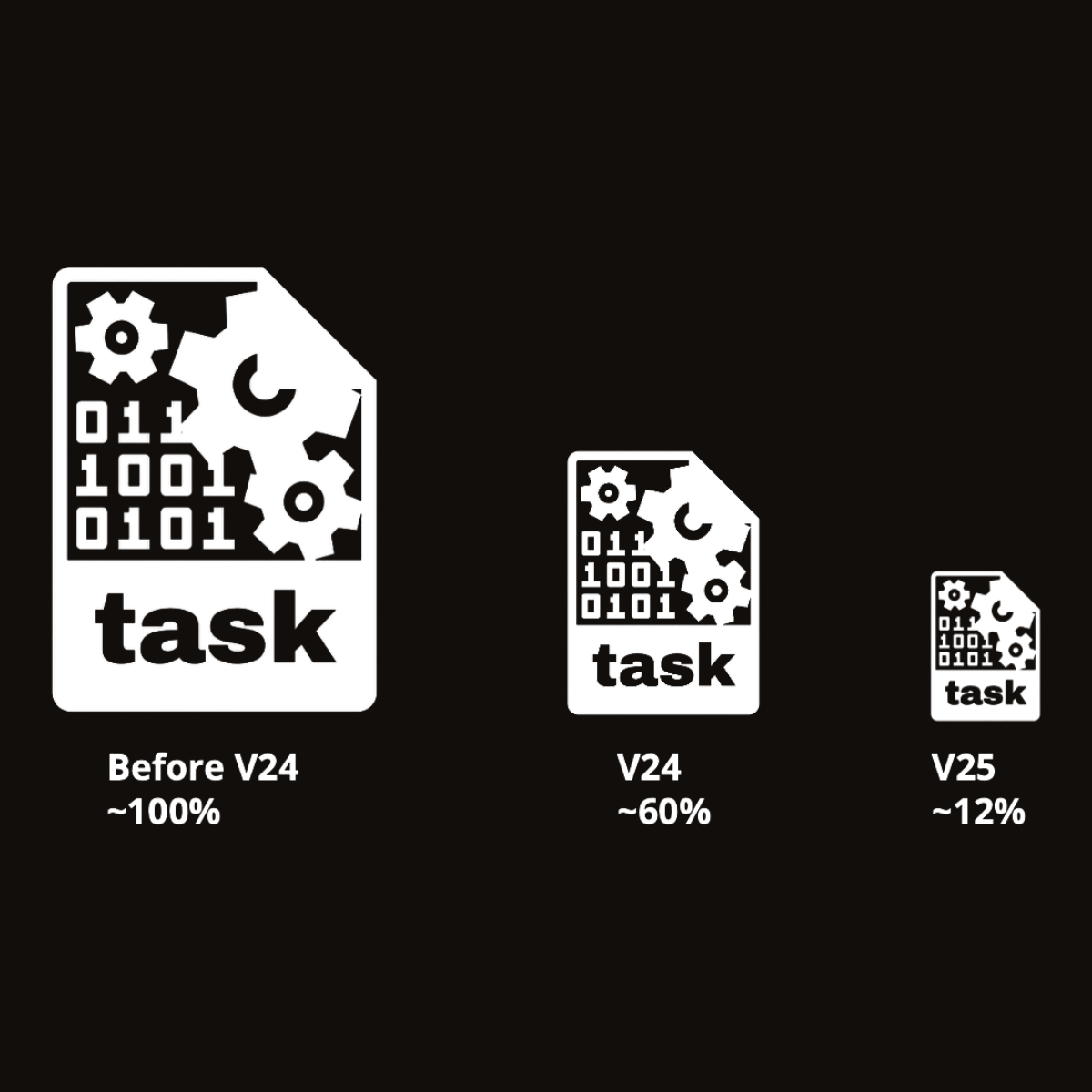
Increasingly complex exposure strategies and geometries can result in large build task files and extended export times.
What the feature does
Shorter Task Export significantly reduces task file size when exporting build jobs from EOSPRINT to the machine. With EOSPRINT V24, task file size can be reduced by up to 60%, while EOSPRINT V25 provides an additional reduction of up to 12%, depending on the material process and nesting density. Reduced task file sizes lead to faster task transfers and shorter export processing times.
Value
Reduces export and transfer times, enabling faster job preparation and supporting higher production throughput.

New Features
EOS Smart Monitoring
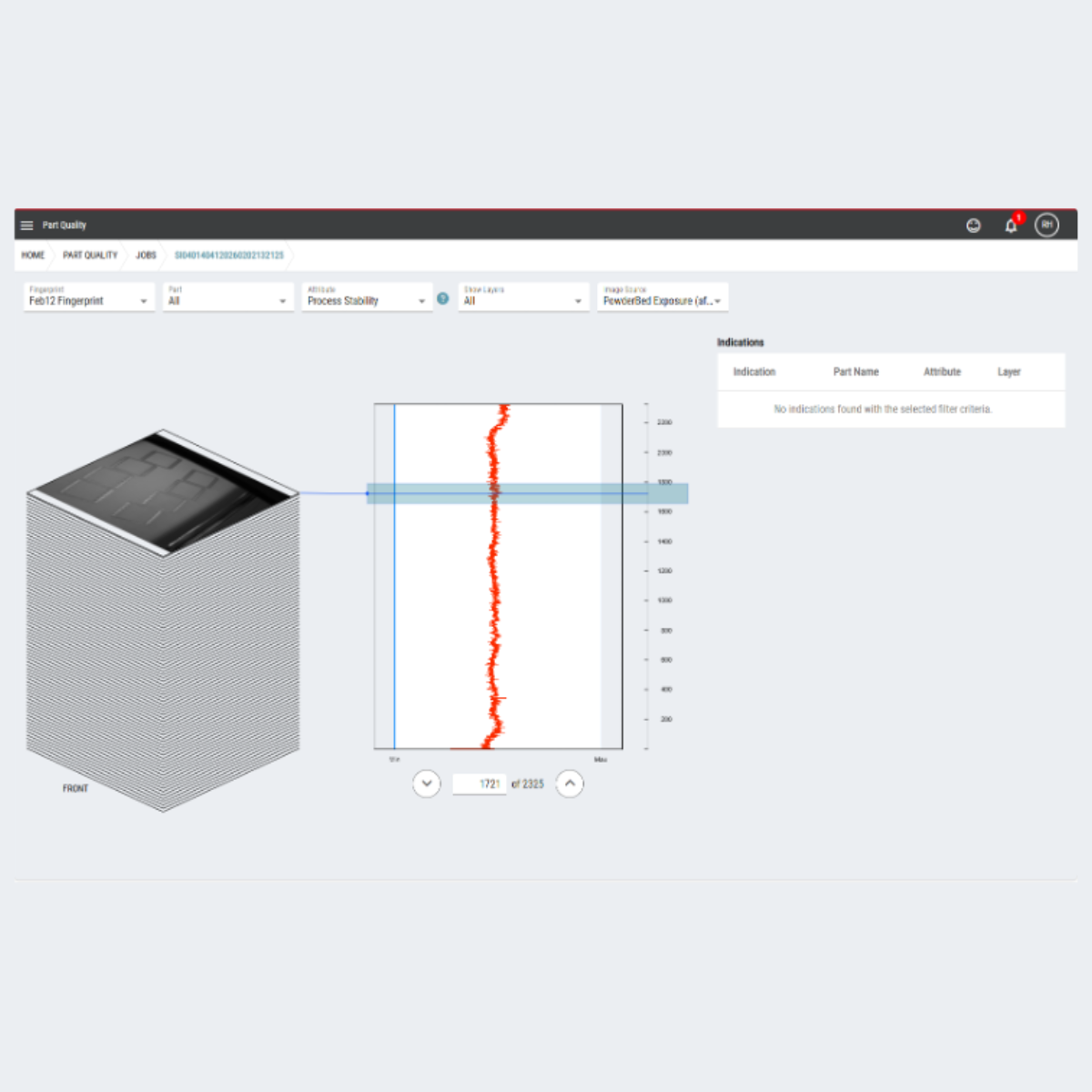
EOSTATE Fingerprint Improvements V25 - Metal
Problem it solves
Maintaining consistent part quality across builds can be challenging when quality assurance relies primarily on post-process inspection. Process deviations are often detected too late, increasing QA effort and reducing production stability, particularly in regulated manufacturing environments.
What the feature does
EOSTATE Fingerprint uses data from the Exposure OT camera to apply a statistical process control (SPC) approach during the build process. It generates a unique process fingerprint for each part, monitors process stability in real time, and detects deviations based on defined statistical thresholds. Relevant process data is visualized and logged to support traceability, automated pass/fail evaluations, and compliance reporting.
Value
EOSTATE Fingerprint reduces quality assurance effort while ensuring consistent part quality, faster reaction to process deviations, and higher confidence in serial production.