
Software Release V24
Explore the Latest EOS Software Updates
EOS software is constantly being developed to support stable, efficient and scalable industrial additive manufacturing. Each software release introduces new features and functional enhancements across the EOS software portfolio. This page provides an overview of the key highlights of EOS Software Release V24
The easiest way to receive the latest EOS software edition is via myEOS. Simply log in and request the installation of the current software release. We will provide you with the latest version for download.
If you have any questions regarding installation, compatibility, or update support, our team will be happy to assist you.

New Features
EOS Build
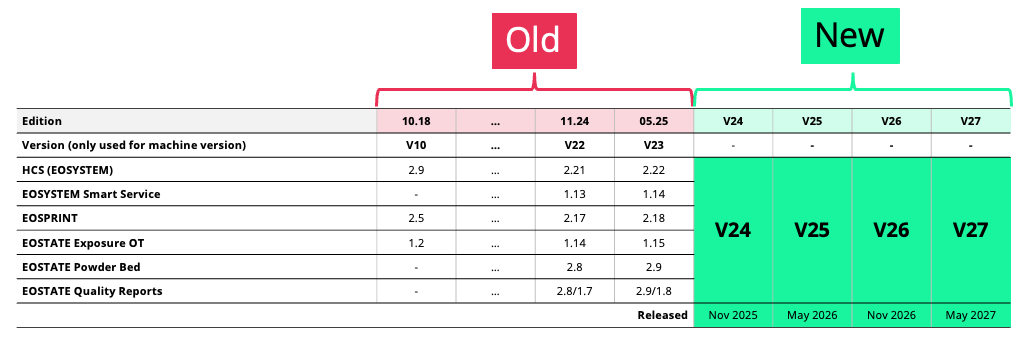
Unified Version Terminology for EOS Software Products
To improve clarity, compatibility, and transparency across our software portfolio, EOS is introducing a unified terminology system.
This software edition has the version number: V24
Optimized Task File Handling
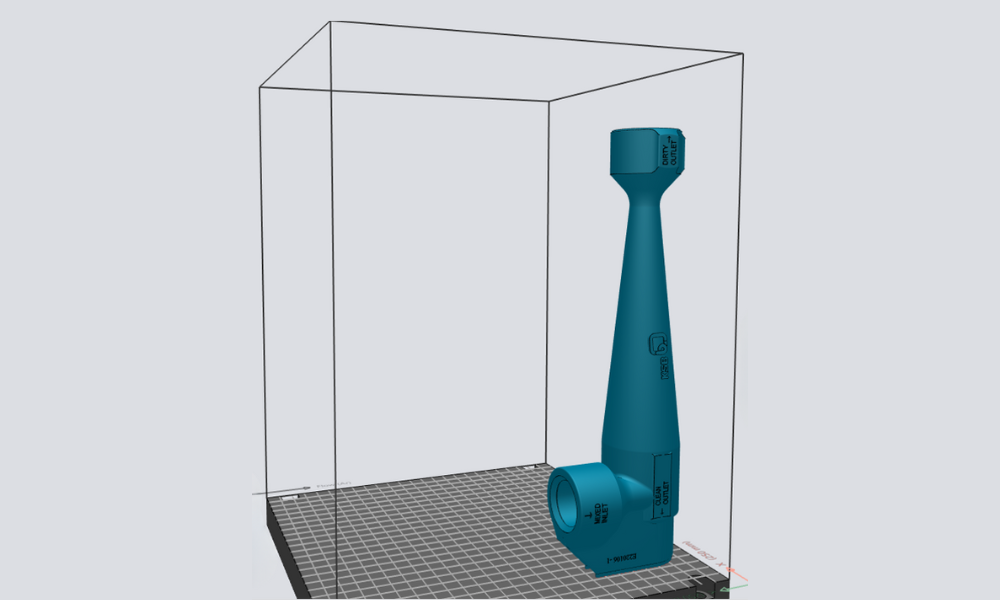
EOSPRINT significantly improves task file efficiency. Task files are now 30–40% smaller, and export times are reduced by 5–15%. The optimized task file handling enables faster workflows and quicker job preparation, reducing waiting times and increasing overall productivity.
Example shown: the export time of this job is 8% faster.
Skywriting for Support Exposure - Metal
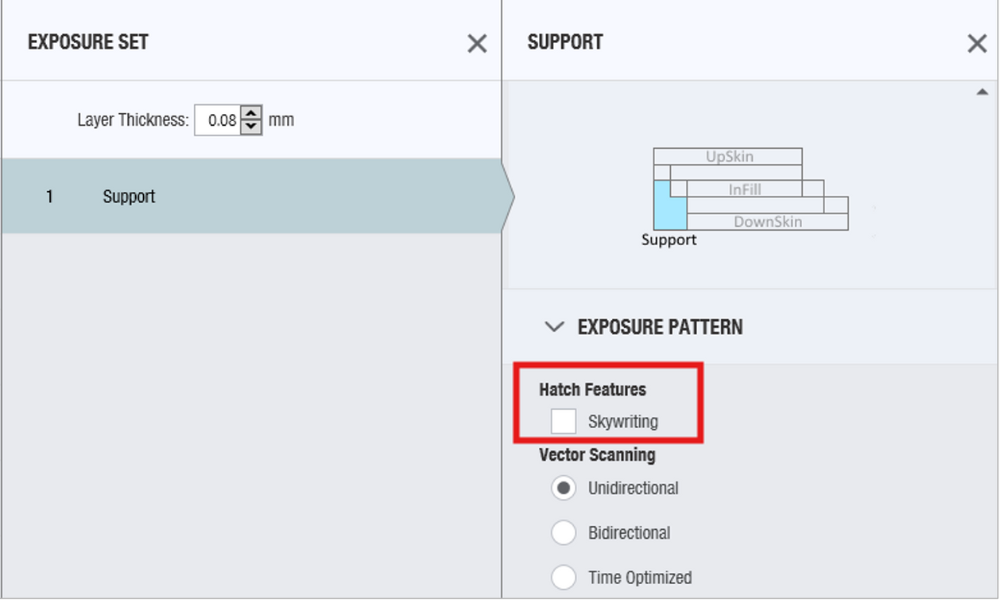
Skywriting can now be enabled for support exposure and not only to part exposure sets. That means customers can use the support exposure to print single scan paths and enables e.g. printing of extremely thin walls, down to a single scan path, with improved accuracy.
Automatic Exposure Set Assignment
Enhanced Automation for Data Preparation
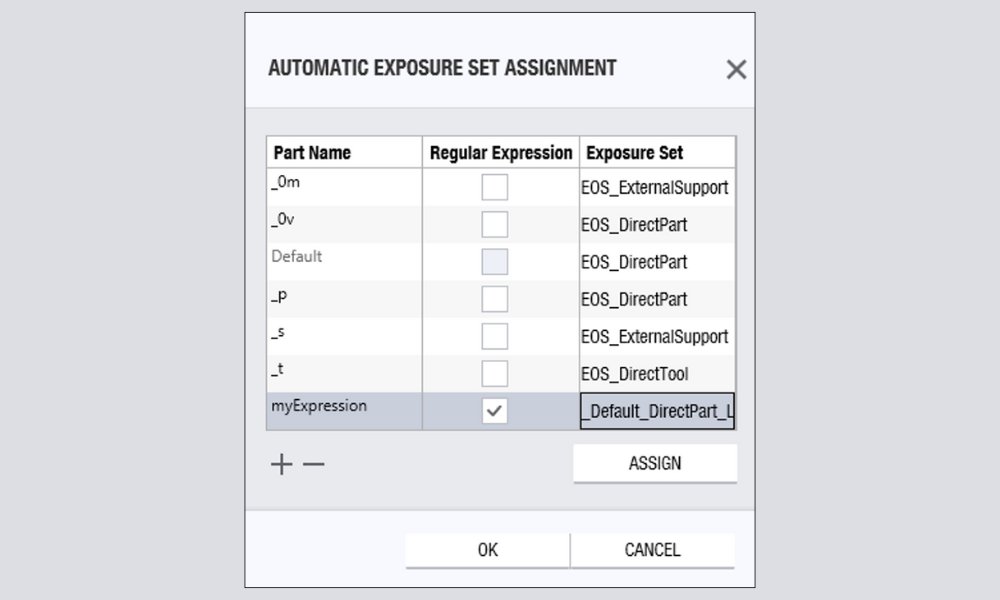
The automatic Exposure Set assignment automates repetitive data preparation tasks by applying the correct parameters based on part name patterns. Previously limited to file name suffixes, it now supports powerful regular expressions for part names. This upgrade expands automation capabilities to include both .STL and .3MF files.
As a result, customers benefit from faster, more accurate parameter assignment and greater efficiency in their production workflows.
Other New Exposure Parameters
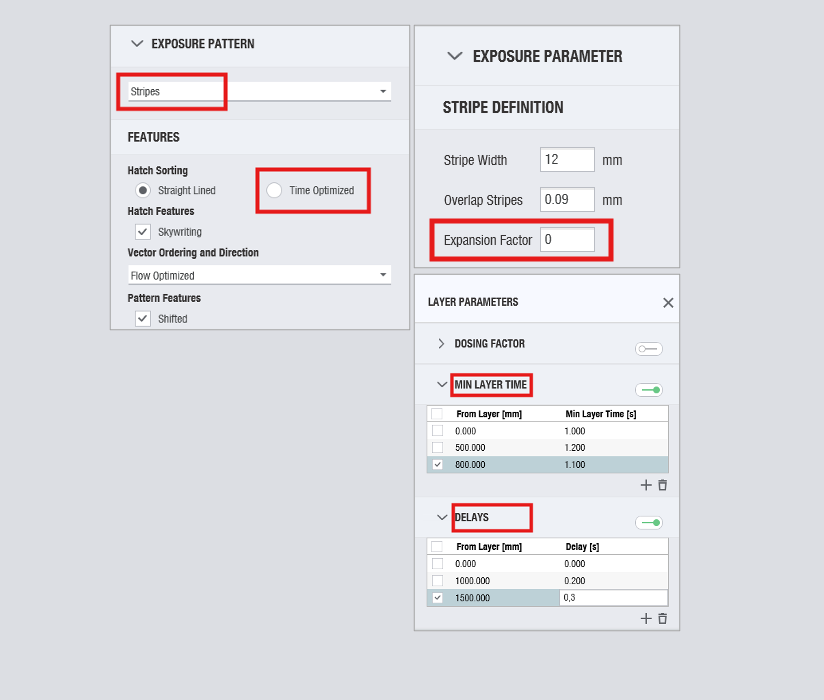
Time-optimized exposure is now available for stripes
Time-optimized exposure optimizes the exposure order of the vectors to reduce jumps to a minimum. Previously limited to no-pattern exposure, this capability is now also available for Stripes. The result is reduced exposure time and increased productivity.
Stripe Expansion
Vectors across stripes were merged to avoid short vectors to reduce jumps. A higher Expansion Factor expands the exposure area of a stripe. The result is reduced exposure time and increased productivity.
Layer Specific Waiting Times and Delays
Previously, layer-based waiting times could only be applied to the entire job. Now, the Minimum Layer Time and Delays can be assigned on a per-layer basis for selected layers.
Minimum Layer Time: If the exposure time of a layer is shorter than the specified Minimum Layer Time, the machine will wait until this minimum time has elapsed before proceeding to the next layer.
Delays: The machine will wait for the defined delay time before continuing, regardless how long the exposure takes.
This allows you to prevent overheating in critical layers without unnecessarily slowing down the overall build process.
nTop Plugin Integration
nTop Plugin bundled with EOSPRINT
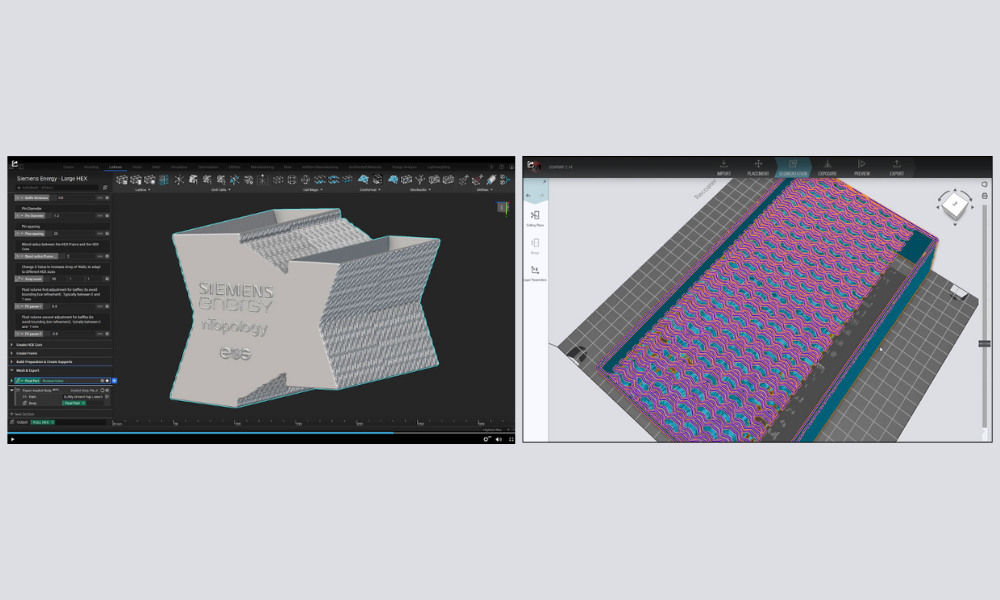
The nTop Plugin is an add-on plugin that enables EOSPRINT to import parts designed in nTop directly. This eliminates the need for meshing and allows the user to prepare the part for manufacturing directly from an nTop Implicit file (*.implicit).
Due to reduced files sizes you can prepare you jobs with implicit geometries much easier and with more performance.
The nTop Plugin is now integrated in EOSPRINT V24 without additional costs and improves the workflow when working with implicit geometries. Watch the video about the nTop Plugin:
Variable Layer Thickness - Polymer
Create New Material Set
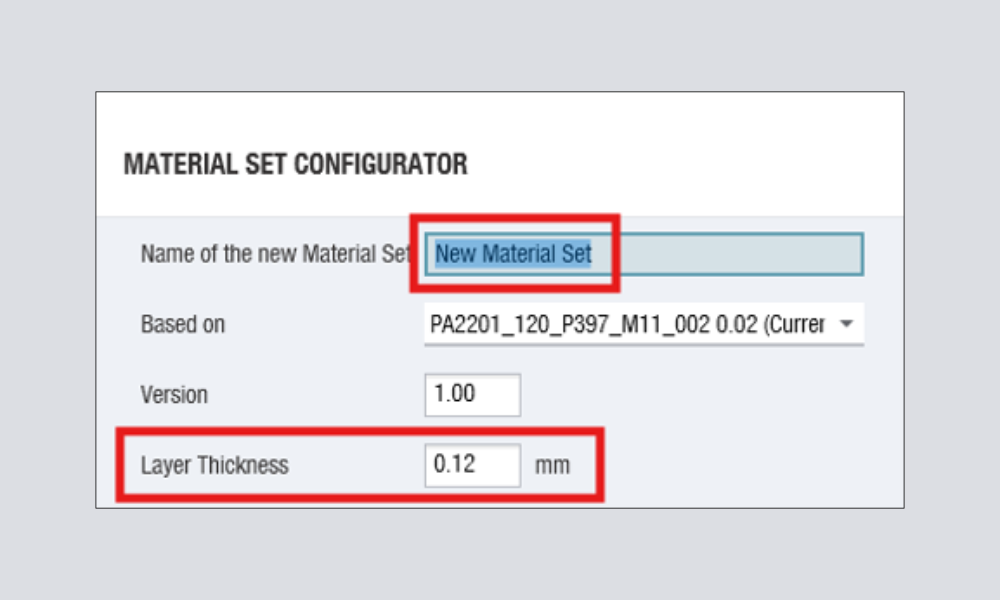
The new Variable Layer Thickness functionality allows you to define different layer thickness values for each polymer material within a custom Material Set. This enables process optimization based on application requirements, whether prioritizing surface quality or build speed.
EOSPRINT automatically recalculates the required energy input by adjusting laser power and scan speed for each defined thickness, ensuring consistent part properties and process stability.
.png "Software Update Videos Teaser (8)")
New Exposure Strategy for Bulky Parts - Polymer
New Exposure Strategy for part with high volume: EOS_bulkAccuracy
Introducing an optimized exposure strategy designed for parts with high volume.
- Improved dimensional accuracy: Optimized energy input to reduce deviations after cooling.
- Higher productivity: Faster build times through increased scan speed in selected regions of the part. This enhancement ensures a higher productivity and cost per parts for large components without compromising throughput.
New Features
EOS Smart Monitoring
.png "Software Update Videos Teaser (2)")
Smart Fusion NextGen - Metal
New Smart Fusion Algorithm. We have enhanced buildability through the implementation of the Smart Fusion algorithm across all released materials, including In718, Ti64, and AlSi10Mg, and have expanded support to include MS1 and 316L.
These advancements lead to significant improvements in surface roughness and downskin accuracy, while also effectively reducing pores in extreme overhangs below 15°. This development ensures higher quality and more reliable manufacturing outcomes for a wide range of applications.
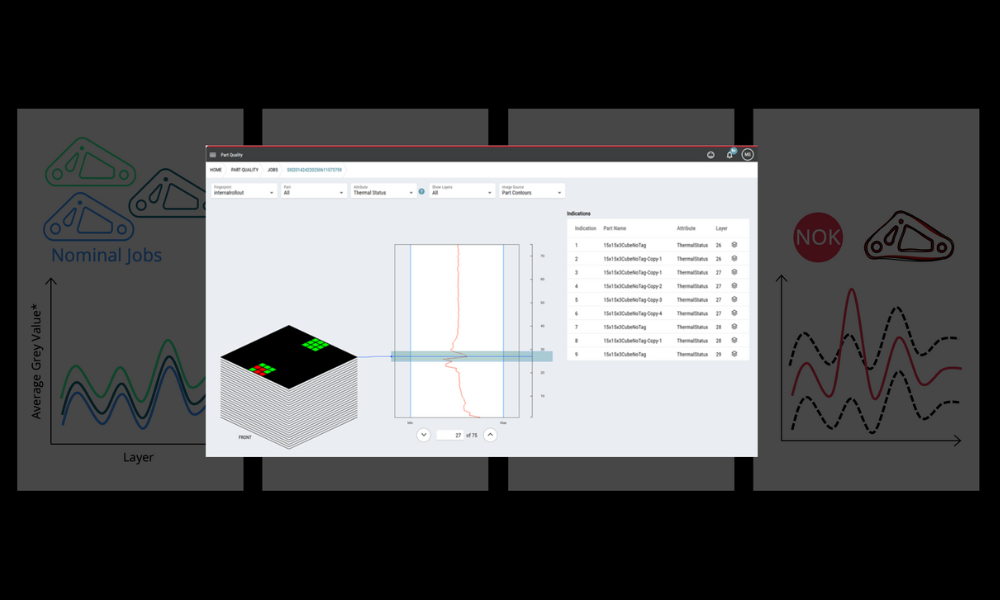
Introducing Fingerprint - Metal
Key to consistent part quality in serial production. The new fingerprint feature in EOS Hub brings advanced, data-driven process control to additive manufacturing. By creating a unique “signature” from reference jobs, fingerprint compares new builds against defined limits for thermal status and process stability. This means you can quickly identify deviations, ensure predictable results, and maintain the highest quality standards - all with just a few clicks in EOS Hub.